What to Save Before You Sign Up for a GLP-1 Program

Edited by Ryan Lafayette using public sources. Confirm coverage and costs with your plan or provider. Not medical advice.
Quick answer
GLP-1 program signup details can change, so don't just read the published terms. Save them. Here is exactly what to screenshot and verify before you enter your credit card for a GLP-1 telehealth program.
- Good fit: You are close to signing up and want a dated record of the offer you are actually considering before committing.
- Be careful: A screenshot does not guarantee a refund, price, coverage, prescription approval, supply, or shipping timeline.
- Look wider: If too many policy details are unclear, compare options with clearer pricing or billing structures before paying.
Start by saving your GLP-1 program signup offer
Before you enter any payment details for a GLP-1 program signup, open a blank document or your device's screenshot tool to start building a personal record. Capture:
- Exact page: The provider landing page you used to evaluate the offer.
- Plan description: The membership, visit, or program description shown before checkout.
- Checkout screen: The page that shows what you are about to pay today.
- URL and date: The web address plus the date and time you saved it.
Save the date and time with each page so you can check which terms you saw when you signed up.
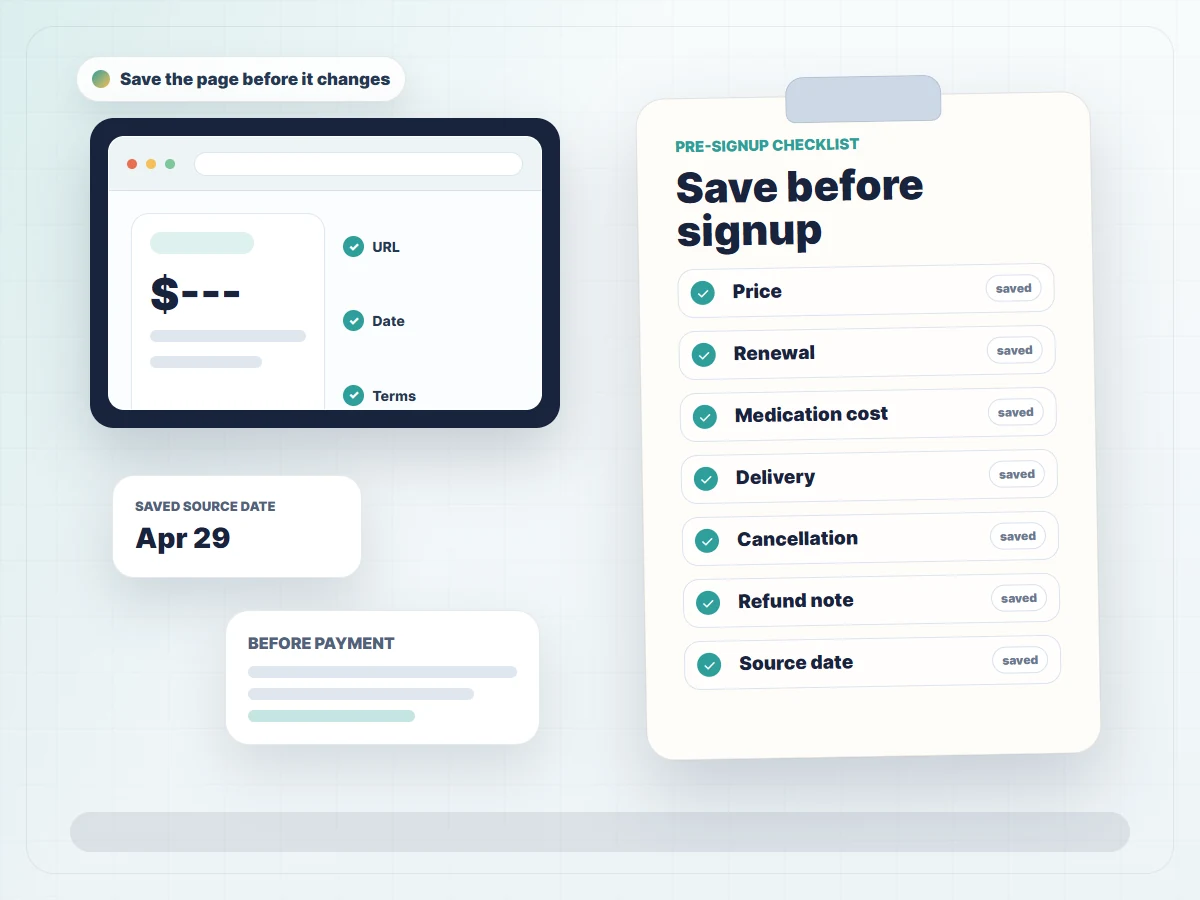
Keep the saved pages where you can find them before renewal or when asking support about a charge.
Check coverage and pharmacy costs
Check your plan's drug list, required paperwork and pharmacy cost. Coverage and costs depend on your plan. Not medical advice.
Save the price details before the page changes
Price displays often shift or add context between the initial landing page and the final checkout step. Save these price details separately:
- First-month price
- Recurring monthly price
- Whether medication is included
- Program or ongoing care fee
- Shipping statement
- Required term length or upfront commitment
Telehealth programs often separate the cost of the medical consultation from the cost of the actual medication. For example, the Ro Weight Loss Pricing page shows how the quoted subscription price covers ongoing care but clearly separates certain lab, medication, or pharmacy costs that may be billed differently.
Also save any stated program fee, shipping statements, and the required term length or upfront commitment. Providers sometimes require multiple months to be paid in advance, or they may automatically transition a discounted first month into a standard ongoing care fee. Having a clear capture of these financial expectations prevents surprises when your payment method is billed for the next cycle.
Which signup details are easiest to verify before you pay
The chart shows which signup details were available for the active offers checked in the FindMyGLP1 Compare Tool. Use it to see what you may need to ask the provider before paying. Our How We Verify page explains how we check sources.
Which signup details are easiest to verify before signup
Use these published details as a starting point, then save the provider page for terms that can change.
Bars can overlap because one offer can include several details. Counts describe active offers in this Compare Tool snapshot, not every GLP-1 provider.
Save the policy pages that can affect your next bill
Look beyond the main landing page and actively capture the official provider policy pages that govern your membership. Examples include:
On those pages, screenshot the sections that explain:
- Cancellation rules
- How often the program renews
- Medical support availability
- What happens if a medication delivery is delayed
- Return, refund, or guarantee terms
Pay special attention to return and refund language, as these directly impact your financial commitment. The Ro Returns & Refunds page and Noom Refund Policy define very specific boundaries regarding product returns and recurring subscription charges. Saving these pages gives you a factual reference point for how to formally request support, pause an upcoming shipment, or cancel your plan if your personal situation changes.
If renewal timing or cancellation terms are the main concern, use the cancellation and renewal terms guide to check the next billing date, cancellation deadline, refund terms, and records to save before payment.
What to recheck before you enter payment details
Right before you finalize checkout, reopen the source pages and compare them with your newly saved records. Recheck:
- The total amount due today against the first-month price you saved.
- The renewal cadence and next billing date.
- Whether the final checkout price includes medication.
- Any shipping, delivery, or ongoing care fee that appears late in checkout.
- The cancellation and refund terms that apply after payment.
Also verify the delivery statement and cancellation terms one last time to ensure they match the provider's terms of use. If the checkout page introduces a new ongoing care fee or a longer upfront commitment than you originally captured, pause and verify the published terms before entering your credit card information. You want absolute clarity on what you are signing up for.
Start Quiz
Find your best GLP-1 match
What should the Compare Tool help you check first?
Choosing a provider next?
Check provider optionsCompare offers with your saved records
Once you understand which pages and details to capture, use the Compare Tool to:
- View current published details side by side.
- Spot which offers publish clearer price, delivery, and medication-cost details.
- Decide which provider pages deserve a dated save before you continue.
Match the details in the Compare Tool with the provider's current pages. Save the offer, checkout screen and policy pages for any program you are considering.
FAQ
Does saving a screenshot guarantee I will get a refund?
No. A screenshot is simply a personal record of what the published terms stated on a specific date, but it does not bypass the provider's official policies. Providers evaluate refund requests based on their current agreements, such as the Noom Refund Policy or Ro Returns & Refunds, regardless of what you saved. Always follow the official process for cancellation or support rather than relying solely on a saved image.
What is the most important page to save before signing up?
The final checkout screen and the provider's official terms of use are the most critical pages to capture. The checkout screen shows exactly what you are paying today and what you agree to pay in the future, while terms and conditions pages outline the actual cancellation rules and renewal cadences you must follow.
Will having a record of the checkout screen lock in my medication price?
No. Having a dated record helps you remember what the provider quoted initially, but it does not guarantee a locked price, future coverage, or continuous medication supply. Prices and availability can change at any time, and you should always refer to the provider's official support channels for current billing questions.